Tag: password safety

  • Can Password Managers Be Hacked? Our 3 Best Password Manager Recommendations

    Can Password Managers Be Hacked? Our 3 Best Password Manager Recommendations

    Password managers have become one of the most important cybersecurity tools available to individuals and businesses. They make it practical to create a unique, complex password for every account without having to memorize hundreds of credentials.

    But because a password manager stores so much sensitive information, it is reasonable to ask an important question:

    Can password managers be hacked? The honest answer is yes. Any software, device, or online service can potentially be attacked. However, that does not mean using a password manager is more dangerous than managing passwords yourself.

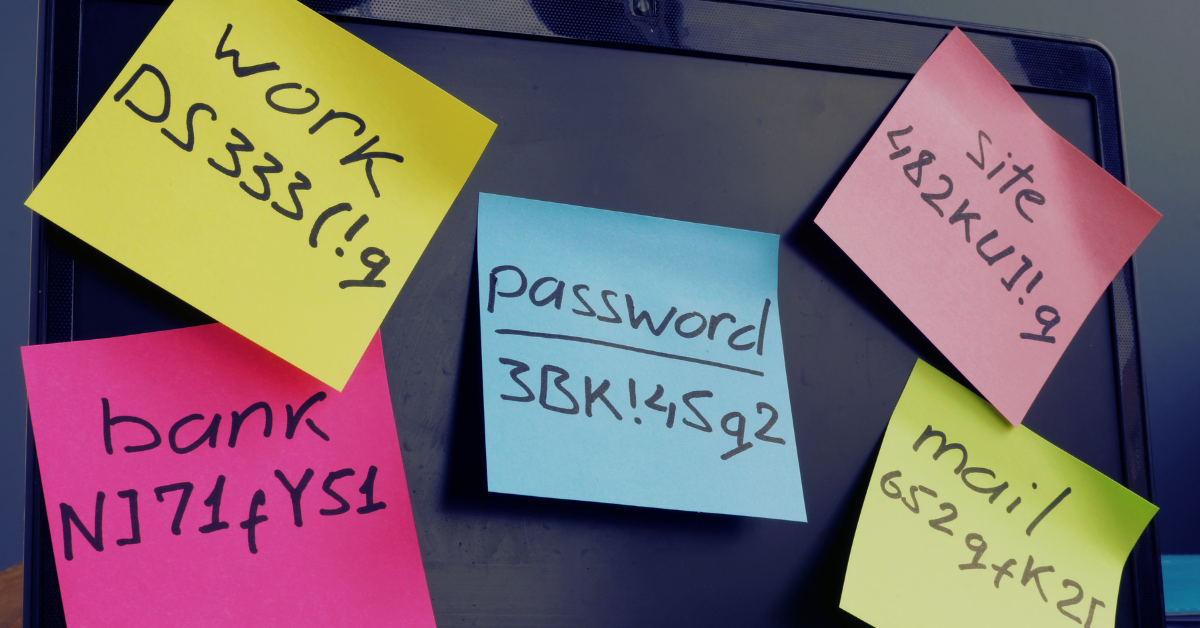
    For most people and businesses, the opposite is true. A reputable password manager dramatically reduces the risks created by weak passwords, password reuse, spreadsheets, browser notes, sticky notes, and credentials shared through email or text messages.

    How does a password manager protection your passwords? A properly designed password manager encrypts your vault before sending it to the provider’s servers. The provider should not possess the information needed to decrypt your stored passwords.

    This approach is often described as zero-knowledge encryption. Your vault can be synchronized between devices, but its contents remain encrypted until you unlock it with your master password or another approved authentication method.

    That does not make a password manager invincible. An attacker could still attempt to:

    • Steal your master password through phishing, malware, or social engineering
    • Access an already unlocked computer, phone, or browser session
    • Exploit a vulnerability in the password manager’s application or browser extension
    • Compromise the provider’s infrastructure and steal encrypted vault data
    • Trick an employee into approving a fraudulent multifactor authentication request

    The biggest practical risk is usually not someone breaking the encryption itself. It is an attacker stealing the user’s master password, compromising their device, or convincing them to approve access. Is it still safer to use a password manager?Yes, since people tend to reuse the same password across multiple websites or make minor variations that are easy for attackers to predict when they don’t use one. When one website is breached, criminals can test the stolen password against email, banking, Microsoft 365, social media, and other services.

    A password manager allows every account to have a long, random, and completely unique password. If one website is compromised, the stolen password cannot be reused to access your other accounts. Password managers also makes it easier to identify reused passwords, detect known compromised credentials, securely share business accounts, and revoke access when an employee leaves.

    The goal is not to eliminate every possible risk, there is no product that can promise that. The goal is to replace unsafe password habits with a system that is considerably harder to compromise.

    So, what are our password manager recommendations? Valley Techlogic recommends Bitwarden, 1Password, and Proton Pass. We feel it’s notable that of August 2026, none of these providers has publicly reported a breach that exposed customers’ decrypted password vaults. All three use strong encryption and have undergone independent security reviews. The best choice depends on your budget, technical requirements, privacy preferences, and the people who will be using it.

    1. Bitwarden

    Bitwarden is an established open-source password manager with options for individuals, families, and businesses. Its source code can be inspected publicly, and the company conducts recurring third-party security audits, source-code assessments, and penetration testing.

    Pros

    • Open-source applications and server components provide a high degree of transparency
    • Strong free plan and reasonably priced paid options
    • Available on major browsers, computers, and mobile devices
    • Supports business collections, secure credential sharing, and administrative controls
    • Can be self-hosted by organizations with the expertise to maintain it securely
    • Includes reports for weak, reused, and exposed passwords

    Cons

    • The interface is functional but may feel less polished than 1Password
    • Some administrative and reporting features require a paid business plan
    • Self-hosting adds significant maintenance and security responsibility
    • New or less technical users may need additional training during deployment

    Best for: Cost-conscious businesses, technical teams, open-source advocates, and organizations that want flexible deployment options.

    2. 1Password

    1Password is known for its polished interface and approachable user experience. In addition to your account password, it uses a locally generated Secret Key that strengthens the encryption of your vault. The company states that it has not experienced a breach of its password-management service. During the 2023 Okta support-system incident, 1Password detected suspicious activity involving its employee-facing Okta environment but reported that no user data or sensitive systems were compromised.

    Pros

    • Excellent interface that is easy for nontechnical users to understand
    • Secret Key provides additional protection beyond the account password
    • Strong family and business-sharing features
    • Useful administrative controls for onboarding and offboarding employees
    • Travel Mode can temporarily remove selected vaults from a device
    • Watchtower identifies compromised websites, vulnerable passwords, and other security concerns

    Cons

    • No permanent free plan for general password-manager use
    • Typically costs more than Bitwarden
    • The complete product is not open source
    • Users must protect both their account password and Emergency Kit containing the Secret Key

    Best for: Businesses that prioritize ease of use, employee adoption, polished administration, and a low-friction user experience.

    3. Proton Pass

    Proton Pass is part of Proton’s privacy-focused ecosystem, which also includes Proton Mail, Proton VPN, Proton Calendar, and Proton Drive. Proton Pass is open source, uses end-to-end encryption, and has undergone independent security testing by Cure53. Its audit covered the mobile applications, browser extensions, and API.

    Pros

    • Open-source applications with publicly available security information
    • Strong privacy focus and end-to-end encryption
    • Clean, modern interface
    • Integrates well with other Proton services
    • Supports email aliases that can reduce spam and limit account tracking
    • Competitive free and paid options

    Cons

    • Newer than Bitwarden and 1Password, with a shorter operational history
    • Business-management features may not be as mature as more established competitors
    • Organizations already standardized on another email or identity ecosystem may receive less benefit from Proton integration
    • Some advanced features require a paid Proton subscription

    Best for: Privacy-conscious individuals, Proton customers, small businesses, and users who value encrypted email aliases alongside password management.

    You may be wondering which of these three you should choose for your business. For many businesses, 1Password offers the smoothest user experience and may require the least training. Bitwarden is an excellent choice for businesses that want strong security, open-source transparency, and competitive pricing. Proton Pass is particularly attractive for privacy-focused users and organizations that already use, or plan to use, other Proton services.

    The most important factor is not choosing the theoretically perfect password manager. It is selecting a reputable product that your team will actually use consistently.

    So how can you use a password manager safely? A password manager should be part of a broader account-security strategy. Simply installing one is not enough. Use a long and unique master password that has never been used anywhere else. A memorable passphrase made from several unrelated words is generally easier to remember and more difficult to guess than a short, complicated password.

    Enable multifactor authentication on the password-manager account. Whenever possible, use a passkey, hardware security key, or authenticator application instead of SMS. Keep computers, phones, browsers, and password-manager applications updated. Avoid installing unnecessary browser extensions, and use reputable endpoint-security software to reduce the risk of credential-stealing malware.

    Businesses should also establish procedures for securely sharing credentials, removing former employees, reviewing administrative access, and recovering accounts when an authorized user loses access. Password managers can be attacked, just like email providers, banks, cloud platforms, and other online services. That is not a good reason to avoid them.

    A reputable password manager stores your credentials in an encrypted vault and makes it possible to use a different random password for every account. This protects you from one of the most common causes of account compromise: reused credentials.

    Bitwarden, 1Password, and Proton Pass are all strong options with different advantages. None can guarantee that an attack will never occur, but each offers a substantially safer approach than reused passwords, shared spreadsheets, browser notes, or credentials passed between employees through email.

    Valley Techlogic can help your organization select, configure, and deploy a password manager that fits your staff, security requirements, and budget. We can also help establish secure onboarding, offboarding, multifactor authentication, and credential-sharing procedures so the password manager becomes part of a complete security program rather than another unused application. Learn more today with a consultation.

    This article was powered by Valley Techlogic, leading provider of trouble free IT services for businesses in California including Merced, Fresno, Stockton & More. You can find more information at https://www.valleytechlogic.com/ or on Facebook at https://www.facebook.com/valleytechlogic/ . Follow us on X at https://x.com/valleytechlogic
  • More data breach woes for LastPass and our recommendations for you on how to deal with it

    More data breach woes for LastPass and our recommendations for you on how to deal with it

    We’ve posted about LastPass data breaches before but at that time it was purported to be a false alarm according to the company, the news on this most recent breach is that it’s real and that LastPass users should be concerned.

    The data breach in question happened in August but LastPass is just now revealing the details on what was stolen and the scope of breach. At the time of the hack LastPass was again saying that it was a false alarm but that wasn’t true and “backup customer vault data” was accessed during the August incident.

    This backup vault data included both unencrypted data such as website URLs and encrypted data such as website usernames and passwords. Having both details will allow hackers to easily put two and two together to access customer accounts.

    With that said because the data for usernames and passwords is still encrypted LastPass has let customers know their data is still safe, as they say it can only be unencrypted with their unique encryption key that is derived from your master password. User master passwords are not accessible due to their “Zero Knowledge” architecture.

    With this architecture no one, not even LastPass themselves, has access to a user’s master password. LastPass requires that master passwords be 12 characters long so even if the hackers who accessed this data attempt to brute force individual passwords it would still be difficult to impossible, with LastPass themselves estimating it would take “millions of years using generally-available password-cracking technology”.

    LastPass users should still be on the lookout for phishing attempts in the upcoming days however, even if your data is safe bad actors may still use the news of this breach to attempt to trick users into revealing their data. You should never share your password details with anyone, especially your master password. LastPass will never ask you for your password information.

    Also some additional advice for business owners who may own websites from Google, because the URLs in this breach were not encrypted they may include some that you didn’t want publicly accessible. John Mueller a SEO expert at Google recommends reviewing any website URLs you may have that may inadvertently leak data for your business, including customer form data.

    We still believe password managers are a security benefit to both consumers and businesses alike. They’re one small part of increasing overall cybersecurity awareness and safety and fall under the larger spectrum of increasing user education and accountability.

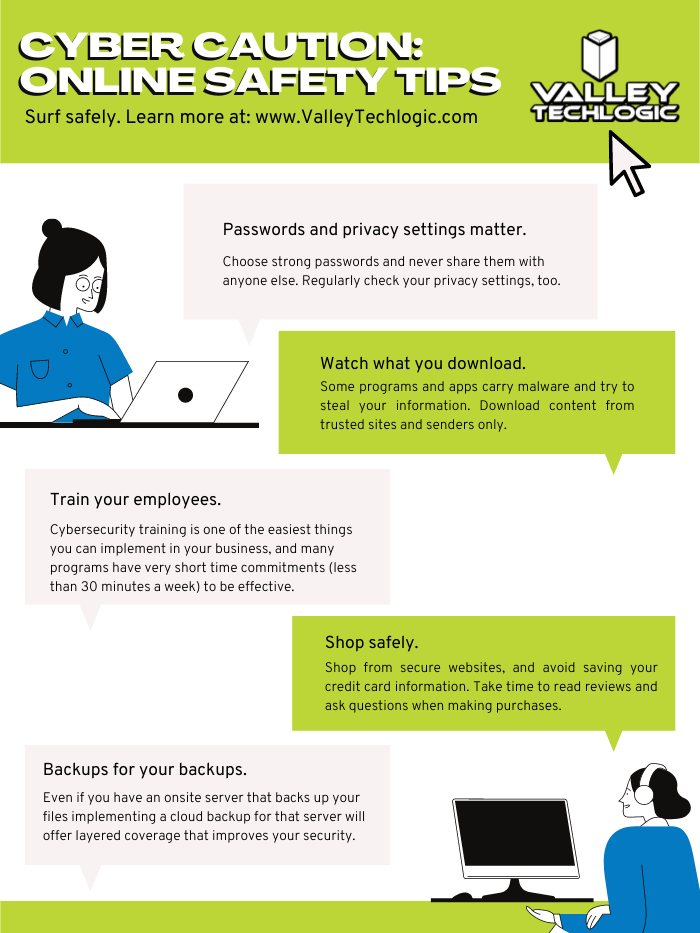
    We’ve posted about proper password safety and advice on avoiding phishing attacks, but here are the top 5 things you can enable in your business today to improve your cybersecurity safety in 2023.

    Internet Safety InfographicIf news of breaches make you nervous and you aren’t sure if your business is prepared from a cybersecurity standpoint, Valley Techlogic can help. We consider ourselves to be a premier provider of cybersecurity services for businesses in our area and beyond. We can help your business by covering your endpoints, setting up secure backups, virus and malware scanning and prevention and more. Schedule a consultation today.

    Looking for more to read? We suggest these other articles from our site.

    This article was powered by Valley Techlogic, an IT service provider in Atwater, CA. You can find more information at https://www.valleytechlogic.com/ or on Facebook at https://www.facebook.com/valleytechlogic/ . Follow us on Twitter at https://x.com/valleytechlogic.

  • October is Cybersecurity Awareness Month, now in its 18th year

    October is Cybersecurity Awareness Month, now in its 18th year

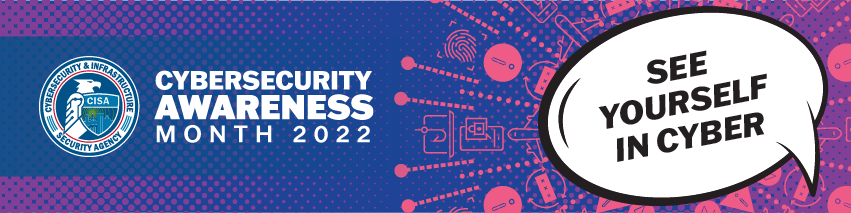
    We’re announcing this a bit late, but we did want to touch on this annual event (now in its 18th year). Every year CISA (Cybersecurity and Infrastructure Security Agency) releases new resources that are free to download and share for Cybersecurity Awareness Month. The theme this year is “See Yourself in Cyber” and we appreciate the effort to help everyone understand that cybersecurity measures are up to all of us to maintain.

    So many cybersecurity measures feel very passive, you’re protected by your anti-virus or firewall automatically. Your IT team helps you navigate any issues that make come up. For businesses, advanced cybersecurity threat protection can detect a threat just from activities that fall outside the norm (like your computer being online at three in the morning) and send you a warning.

    Unfortunately, hackers are always trying to circumvent these automatic measures no matter how advanced they become. The human element is still the biggest cybersecurity threat to your network and business. That’s why acknowledging we all have a role to play in preventing cyber threats is so important.

    CISA recommends four important steps we all need to take online:

    1. Think Before You Click: Before you click on that link in an email or download an attachment, do a little research. Is the sender who you expect it to be? Phishing emails are still the #1-way users are hacked.
    2. Update Your Software: This is good common-sense advice; most patches also include important security updates and it doesn’t take very long to install them (and for Windows devices you can even have them run automatically).
    3. Use Strong Passwords: This is another easy one and if you use one of our password manager recommendations, it’s even easier to create stronger passwords that you don’t have to manually remember.
    4. Enable Multi-Factor Authentication: This is CISA’s fourth tip for this year and lucky for you we have a guide for this too.

    These tips may seem simple, but they will be hugely beneficial to preventing a cyber threat for you, your business or your employees. However, you can take it a step further and engage with cyber security training.

    You may be wondering what that would look like, well you’re in luck. We have a sample training session right here for you to review with your employees:

    This is just a quick sample lesson; through our partner we have bite sized lessons that include video that you and your team can take to beef up your cybersecurity knowledge. They average 2-3 minutes long with a quick quiz at the end to make sure the knowledge was absorbed, and you can even see your employees average scores to see how everyone is doing.

    If you incentivize taking this training it will not only be a team building opportunity, it will also help your business stay safe from cyber security threats. If you’d like to learn more about cybersecurity training or stepping up your cybersecurity measures in your business (including the aforementioned advanced cyber threat detection) reach out today for a consultation.

    Looking for more to read? We suggest these other articles from our site.

    This article was powered by Valley Techlogic, an IT service provider in Atwater, CA. You can find more information at https://www.valleytechlogic.com/ or on Facebook at https://www.facebook.com/valleytechlogic/ . Follow us on Twitter at https://x.com/valleytechlogic.

  • Our UPDATED Guide to MFA (Multi-Factor Authentication)

    Our UPDATED Guide to MFA (Multi-Factor Authentication)

    Last year we had an article on our top picks for 2-factor authentication and we’ve touched on what makes a good password before. We thought it would be a good idea to refresh our advice on this topic and combine our tips into one easy to revisit guide.

    One thing that we surprising haven’t recommended often before but would like to now is implementing Microsoft 365 2-factor authentication on your account. We utilize Microsoft products heavily in our business and we find many of our clients are the same, Microsoft software solutions are deeply woven into their day-to-day business activities. You can find our quick guide to implementing it in last week’s article here.

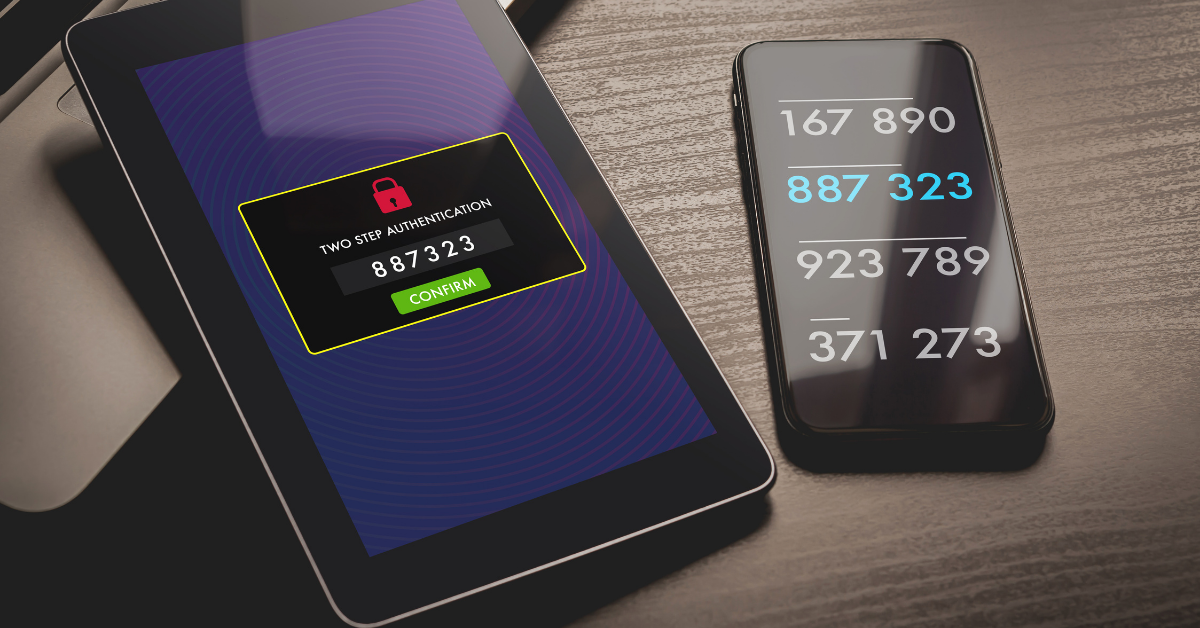
    We’ve also touched on how implementing 2-factor on your Google account could decrease your odds of your account being hacked by half. In many cases it really is as easy as implementing the built in 2-factor settings in the accounts you utilize and you may not even need to install a 2-factor authentication software, you can simply have the codes texted to your mobile device.

    Since this is a guide though we still want to give you a recommendation on that though, for us we’ve utilized Microsoft’s authenticator program for the most part. We also found that Google’s Authenticator and Authy’s Authenticator mobile apps are very easy to use as well.

    It can be a little more convenient to have the 2-factor codes in one place, so you don’t have to request a code be texted every time you login (especially if you have a lot of different login’s you use throughout your workday).

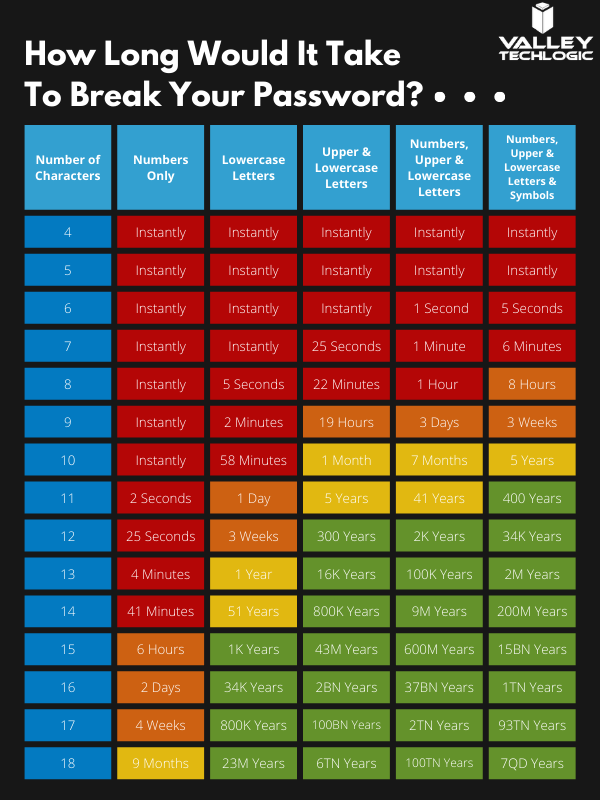
    You may be asking yourself at this point, what’s wrong with just my plain old password? You may have typing it in down to muscle memory and you don’t have to retrieve a code from anywhere. Well, this chart on how long it can take a crack a password based on specific criteria will tell you why:

    How long would it take to break your password?

    Of course, the more complex your password is the greater the difficulty in cracking it, that brings us to our next bit of advice – utilize a password manager and have stronger (and varied) passwords.

    Across the board for Valley Techlogic our employees are using LastPass, we like that it’s cross device and cross platform and enjoy the warnings and alerts it gives us if a password has been possibly compromised or if we’re trying to reuse a password we’ve used before.

    However, any reputable password manager is going to be a big improvement over reusing simple passwords or trying to remember complicated ones.

    Even with a password manager, your passwords being compromised online is the main reason you should consider enabling 2-factor or multi-factor on your accounts. You can have strong varied passwords and your passwords may be leaked due a breach that’s outside your control. Webpages are hacked all the time, and if your banking password is part of a data breach it can then become available to bad actors on the dark web.

    With 2-factor enabled however, it won’t matter if they have your password as they would still need your authenticator program or your mobile device to login to the account. We think it’s worth the (very slight) inconvenience of a few seconds to have that level of security.

    If you’re security conscious and want to go even further, you can also use a security token to lock your device (highly recommended for sensitive work devices). That means the device is useless without the security token to be able to unlock it.

    Enabling multi-factor authentication across your business uniformly can be an uphill battle, but it is one we have experience with here at Valley Techlogic. As security regulations increase, this simple change will make a huge difference in your cybersecurity compliance level. Learn more today with a quick consultation.

    Looking for more to read? We suggest these other articles from our site.

    This article was powered by Valley TechLogic, an IT service provider in Atwater, CA. You can find more information at https://www.valleytechlogic.com/ or on Facebook at https://www.facebook.com/valleytechlogic/ . Follow us on Twitter at https://x.com/valleytechlogic.

  • LastPass say they didn’t leak your password, however some users still received alarming alerts

    LastPass say they didn’t leak your password, however some users still received alarming alerts

    Yesterday, a number of LastPass users received alarming alerts in their email inbox that their passwords – including their master password – had been compromised. The news quickly spread across the internet, starting with forums, and then making its way to Twitter where it was picked up by larger news outlets.

    LastPass immediately denied that a breach had occurred within their organization and at first indicated that the alerts were happening to users who were the victims of “credential shuffling”. That means these users had reused their passwords on other websites who may have had a breach in the past, and now bots trolling the internet for compromised accounts have stumbled upon their password vault credentials.

    This didn’t end up being the case either, but it is a good reminder NOT to password shuffle, especially with the master password for your password vault (if any password should be unique – it should be that one).

    As of this morning LastPass determined that the alerts were sent in error by systems that were set up to be too stringent. They’ve indicated they now adjusted the alerts systems so inaccurate alerts will not be sent again. They also clarified that they don’t store user passwords on their own servers, and that they work on a “zero knowledge” security model which means they are not able to see your master password at all.

    The fact that this news took off in a flash may be indicative of the heightened awareness users have around the security of their data, especially those who currently use a password manager as part of their security repertoire. Even if the alerts occurred in error that may be cold comfort to the scare those users experienced.

    To us, it’s a reminder that the best cybersecurity efforts are multi-layered. We believe it’s equal parts implementation of security measures, monitoring of those measures, and behavioral changes on the part of the users.

    Even if the alerts that occurred yesterday were the result of a system issue not a security issue, we think the users that responded had the right idea when they chose to investigate. It’s also a good idea to change your password if you get a security alert, even if it turns out to be a false alarm. It won’t hurt anything to take that extra step to protect yourself, the old adage “Better Safe Than Sorry” rings especially true when it comes to cybersecurity threats.

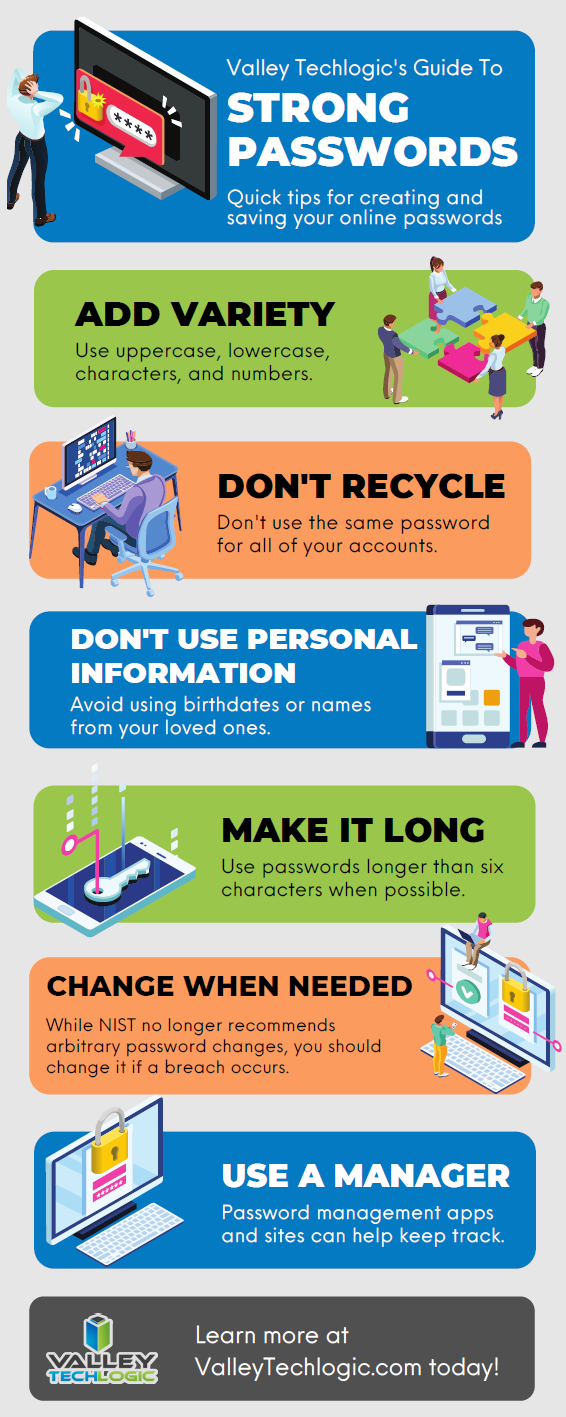
    We created this resource on the topic of good password hygiene that you can keep to review, or even pass along to your co-workers/employees.

    Small Version of the Strong Password IG
    Click to view the full size.

    Finally, even if the unthinkable occurs and your passwords are leaked, again a multi-layered approach will protect you. You should enable 2-factor/multi-factor authentication when and where you can. So if someone does get your password somehow, they still will be blocked from logging in.

    If the security measures in your workplace aren’t up to snuff or you’re interested in cybersecurity training for your employees, Valley Techlogic can help. Boosting the security measures for your business and providing a digestible cybersecurity training program for your employees is included as part of our technology service plans. Schedule a free consultation with us today to learn more.

    Looking for more to read? We suggest these other articles from our site.

    This article was powered by Valley TechLogic, IT service provider in Atwater, CA. You can find more information at https://www.valleytechlogic.com/ or on Facebook at https://www.facebook.com/valleytechlogic/ . Follow us on Twitter at https://x.com/valleytechlogic.